~230
small backend jobs
Around 230 separately deployable backend jobs keep individual responsibilities separate, so one problem does not have to take down the whole product.
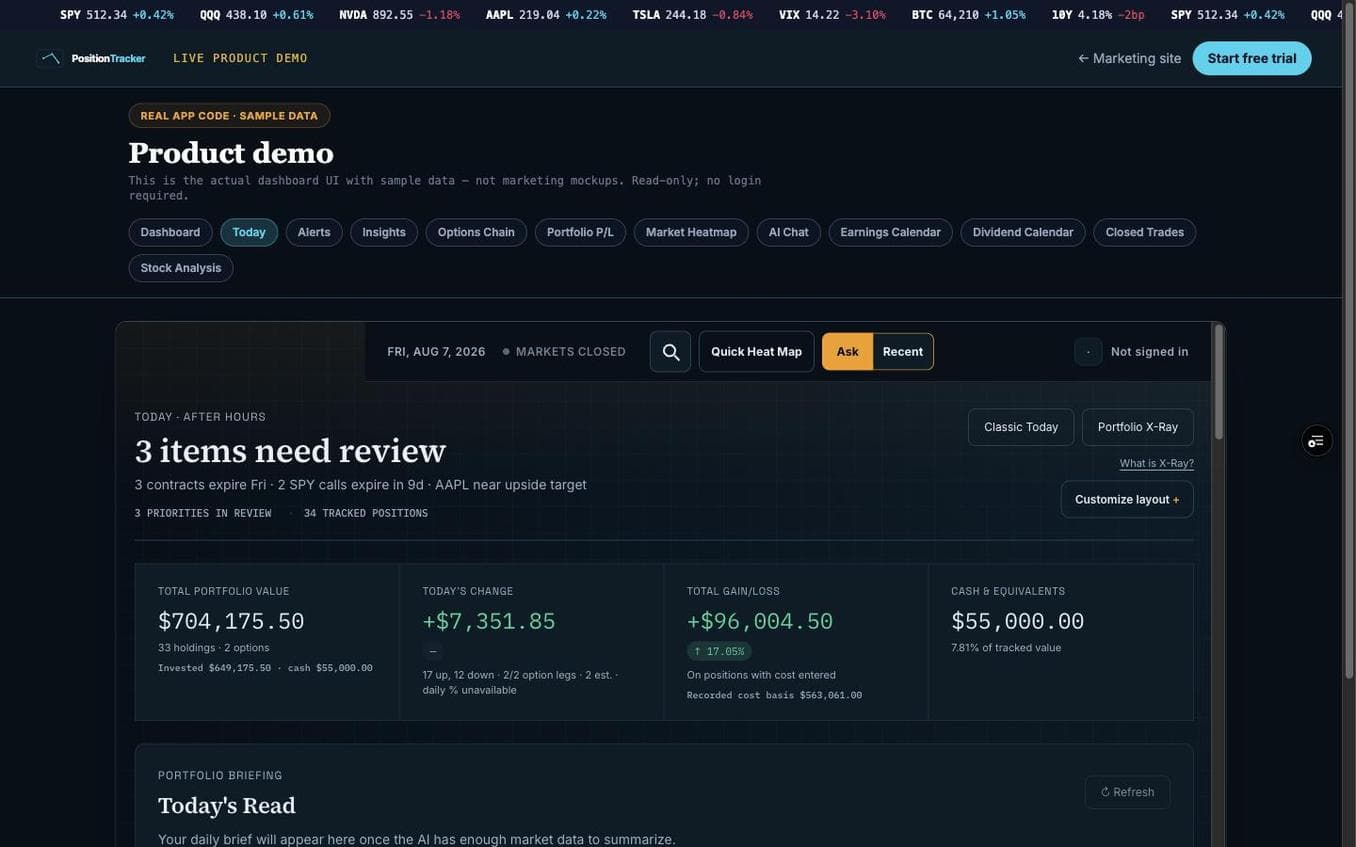
A single place to understand accounts, positions, cash, option contracts, research, and what needs attention today.
PositionTracker turns scattered financial information into a calm working view, while keeping the complicated safeguards behind the scenes.
At a glance
~230
Around 230 separately deployable backend jobs keep individual responsibilities separate, so one problem does not have to take down the whole product.
31
Thirty-one configured schedules keep updates, alerts, research, and housekeeping moving without a visitor leaving a tab open.
5
Market data, connected accounts, brokerage data, and public filings each have a clear role instead of being mixed together.
3
Fast temporary state, long-term records, and generated files each use storage designed for that particular job.
The problem
A portfolio can live across brokerages, spreadsheets, quote sites, option chains, filing alerts, and an inbox. Switching between them takes time and makes it harder to tell which number is current, missing, or estimated.
The product answer
PositionTracker brings the useful pieces together, labels uncertainty, and protects the work around it. The result is less hunting for context and more confidence in what the screen can actually support.
How it works
The visible experience stays simple because each part of the journey has a clear job and a safe response when something outside the product is slow or incomplete.
First-party API handlers sit between the browser and Financial Modeling Prep, Polygon, Plaid, SnapTrade, and SEC EDGAR. They validate inputs, attach provider credentials on the server, normalize responses, and controlCORS.
The source has roughly 230 deployable handlers across roughly 648 files under /api. That includes 18 Financial Modeling Prep handlers, 13 Plaid handlers, 6 SnapTrade handlers, 24 AI handlers, and 33 cron handlers.
The options adapter parses OCC contract symbols and maps bid, ask, last trade, implied volatility, volume, open interest, and available Greeks into a common contract model.
Chain pagination is capped at 20 pages. A 429 response can retry up to three times with a delay. When inputs are valid, a sharedBlack-Scholes calculation can produce a theoretical price and delta; invalid or non-finite inputs return null rather than a made-up value.
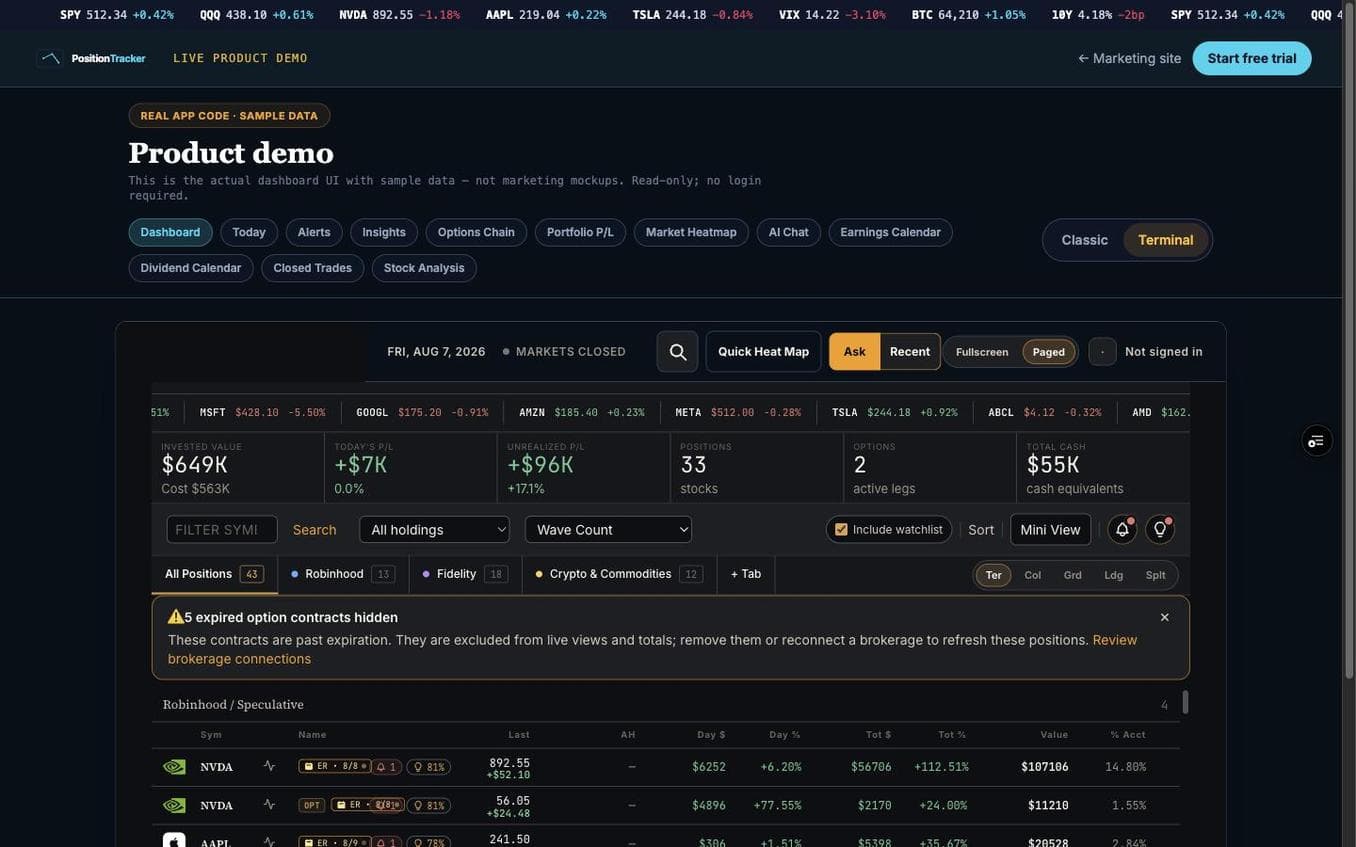
Tabs and preferences update optimistically, then persist with a revision in Vercel KV. The server compares the incoming revision against the current revision at an explicit boundary before it accepts the update.
This is optimistic locking paired with an idempotent retry: a matching payload can be recognized as already committed after a response is lost, while a genuinely stale revision returns the server version for conflict handling.
vercel.json defines 31 configured Vercel Cron schedules. That is separate from the 33 cron-handler routes in the codebase. Schedules cover market-window work, snapshots, brokerage sync, filing intake, notifications, research, and cleanup.
The routes authenticate scheduled invocations, keep work bounded, use provider-specific retries, and rely on storage wrappers and durable uniqueness constraints where a repeat insert would be a problem.
What that means day to day
You get a working view that is ready faster, clearer about uncertainty, and less likely to fail just because one outside service is having a bad moment.
How the pieces fit together
The product does not depend on one oversized system doing everything. It uses focused services for the interface, private decisions, fast state, durable records, incoming data, and delivery.
The screen people use
A responsive interface can handle dense financial information without making the reader move between disconnected tools.
The protected application layer
Small server-side jobs keep secrets and sensitive decisions away from the browser while allowing individual features to operate independently.
Sign-in and paid access
Identity and subscription access are checked on the server, not trusted to a button or a browser setting.
Fast and durable records
Fast state, long-term history, and cross-device coordination have distinct homes instead of competing for one storage system.
Market, account, and filing inputs
Each source does one defined job, while the product keeps the user experience consistent across them.
Research, files, and messages
AI-assisted analysis, generated files, and email delivery can be governed as product features instead of untracked add-ons.
React 19 and a Vite multi-page build provide the interface, styled with Tailwind. Vercel hosts the application and its serverless functions. Vercel KV handles responsive application state, rate-limit counters, cached totals, and coordination; Neon serverless Postgres stores positions, snapshots, trades, recommendations, subscribers, and operational records. Financial Modeling Prep, Polygon, Plaid, SnapTrade, and SEC EDGAR provide defined market, account, brokerage, and public-filing inputs.
Clerk verifies identity. Stripe provides billing information. Resend handles email, Vercel Blob stores generated files, and the Vercel AI SDK supports metered AI requests. Database wrappers time out slow calls, retry selected cold-start-style connection failures, and rely on idempotent writes or unique constraints when durability matters.
18
Financial Modeling Prep routes cover quotes, search, history, earnings, technical data, crypto, and after-hours context.
13 + 6
Plaid and SnapTrade jobs cover linking, imports, balances, holdings, transactions, reconciliation, and connection status.
24
Portfolio-aware chat, bounded analysis, filing intelligence, and research have separately controlled routes.
33
Scheduled functions cover snapshots, market updates, filings, notifications, sync work, and cleanup.
Make information easier to scan
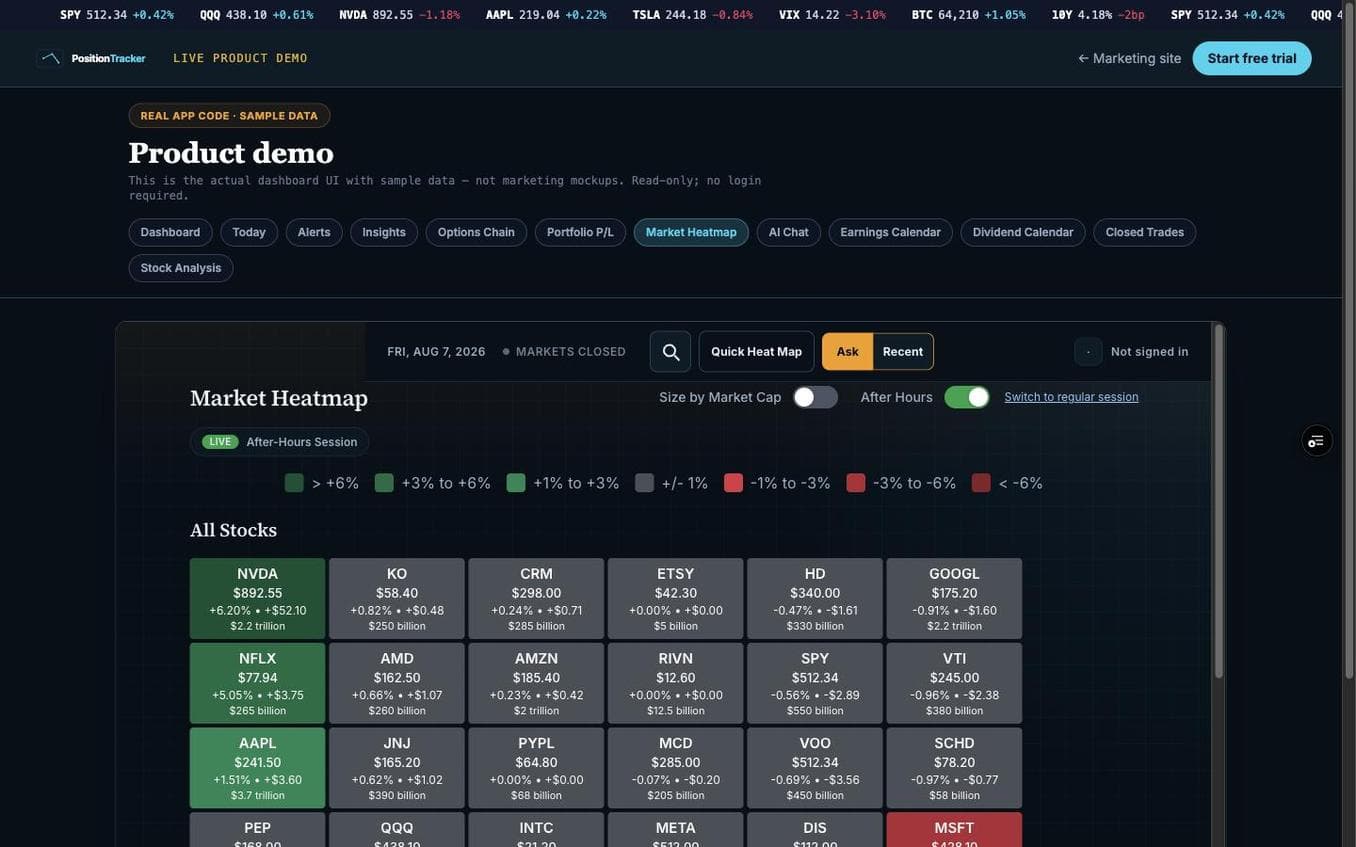
A market heatmap shows which stocks are moving and gives bigger companies more visual weight. It helps a reader orient themselves before opening a specific chart or position.
Why the visual layer matters
Good reporting does not make people study a table before they know where to look. It gives them an overview, then lets them drill into the details.
Put the briefing in context
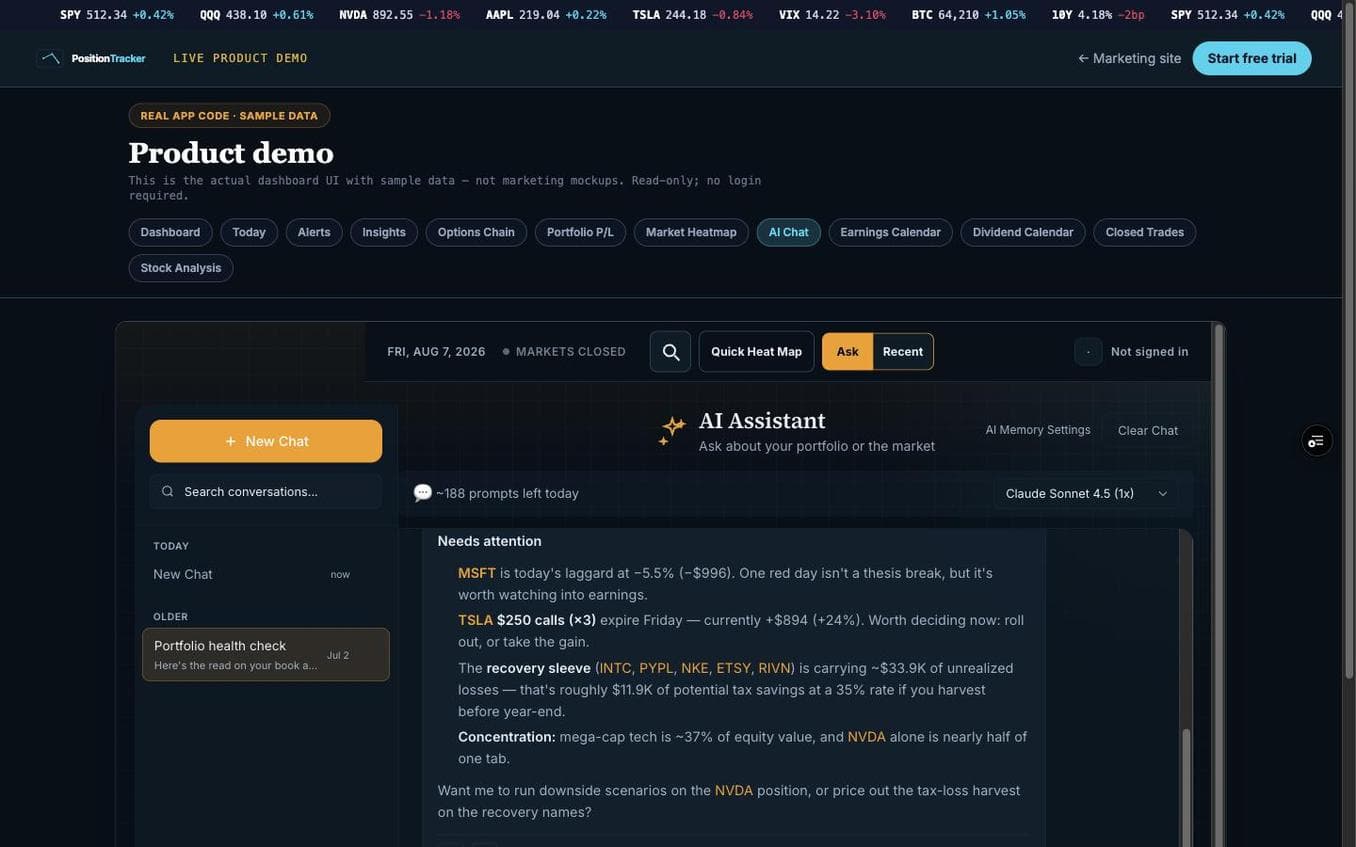
The assistant is designed to help surface what needs attention and support a follow-up conversation. It sits beside the portfolio context instead of asking a person to move their question into an unrelated chat tool.
Usage controls and separate AI routes make it possible to treat this as a governed product feature, rather than an unlimited hidden cost.
Keep public information useful
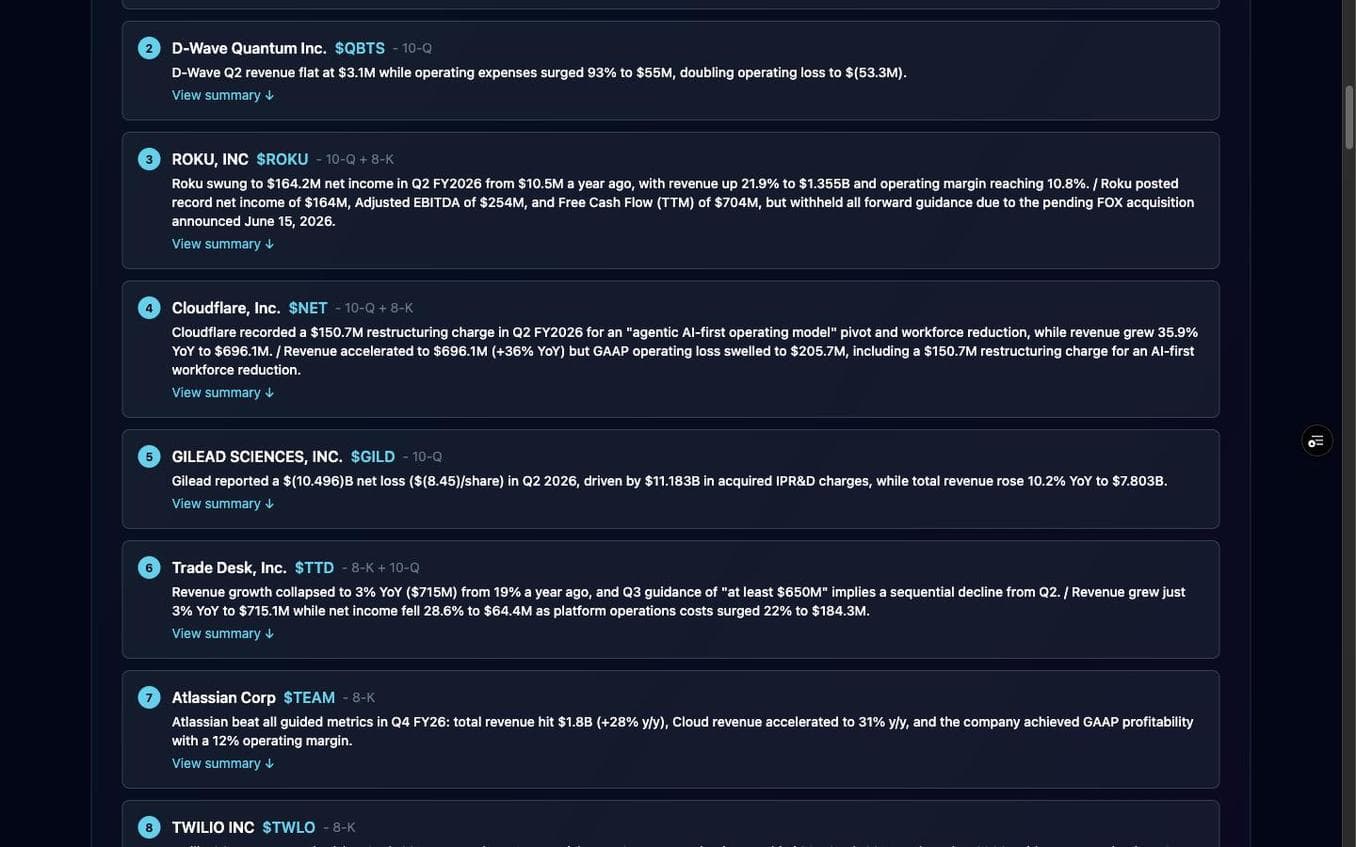
SEC filing analysis gives a structured place to review important 10-Q and 8-K updates, read a summary, and subscribe to alerts. The public record is still available, but the product reduces the friction of finding and prioritizing it.
The broader pattern
When a team has too much incoming information, the valuable product is not just an alert. It is a repeatable way to decide what deserves attention.
Track option contracts with context
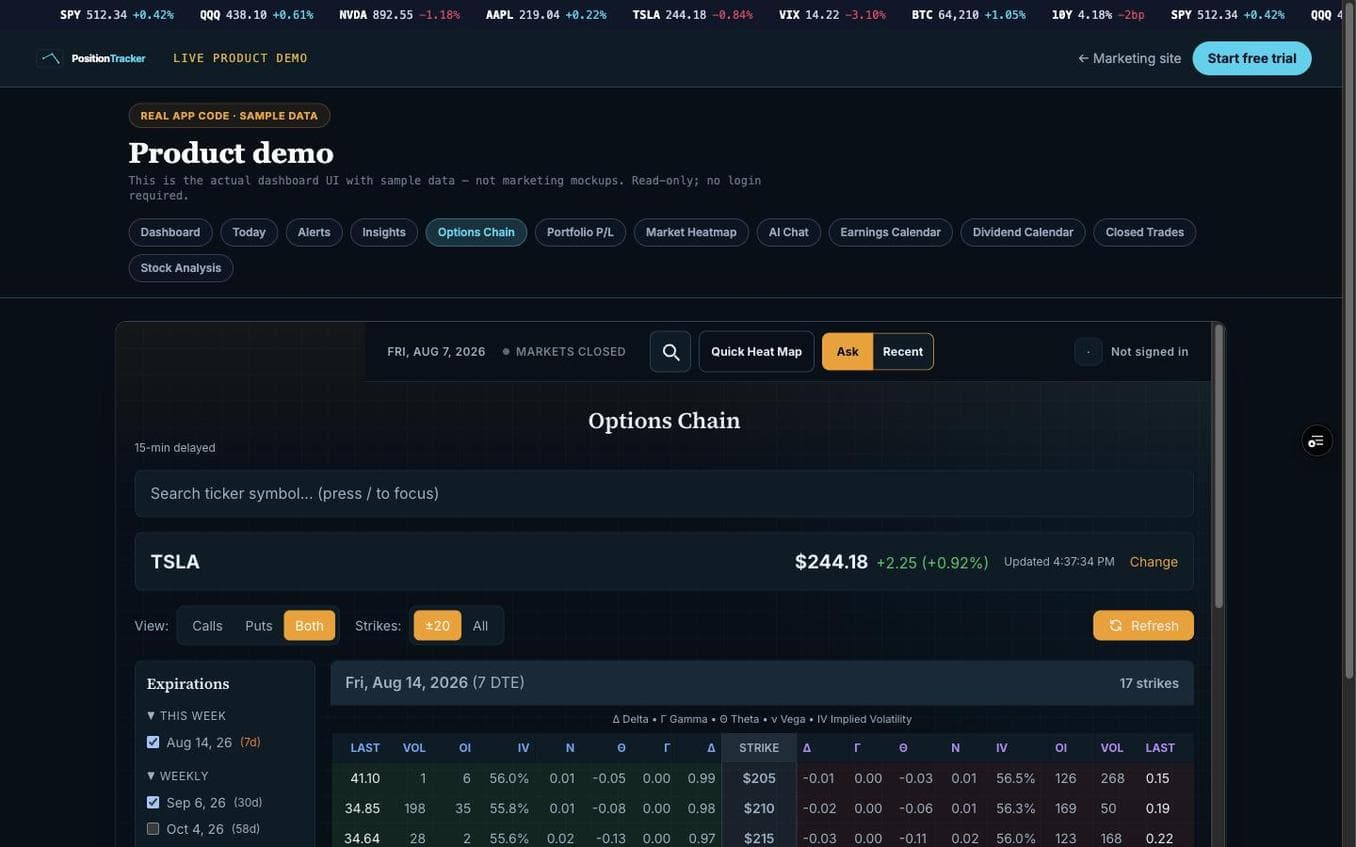
The options chain puts calls, puts, strikes, volume, open interest, implied volatility, and Greeks in one working view. It creates a clearer starting point for checking a contract than shifting between a broker screen and a separate calculator.
The product keeps real market marks and modeled estimates distinct, so a reader can make an informed judgment about the quality of the information.
Safeguards that keep the product dependable
The hard part of a data-rich product is not only fetching information. It is setting rules for what happens when a provider is slow, a request repeats, an account changes, or a paid service cannot be confirmed.
Outside services are reached through PositionTracker instead of directly from a visitor device. That keeps service credentials private and gives the product one place to validate requests and control who can call what.
The product limits repeated requests, saves appropriate recent results, and gives AI features scoped daily limits. Expensive or unreliable outside calls do not get an unlimited invitation to run.
Saved tabs and preferences have a clear version check. An older edit can be identified, and a repeat caused by a lost response can be accepted without creating an unwanted duplicate.
Provider failures, rate limits, and absent fields are expected. The product uses bounded retries, safe empty results where appropriate, and visible distinctions between live values, cached values, and estimates.
If the product cannot confirm access in the deployed environment, it restricts access. This protects paid features rather than granting them by accident.
Updates and housekeeping run in protected scheduled jobs. The experience a visitor sees does not depend on a browser tab remaining open for maintenance to happen.
The value of these safeguards
Your team does not need to understand every rule behind the scenes. They need a product that does not expose secrets, overcharge on repeat work, erase a newer edit, or turn a temporary gap into a confident-looking answer.
What it replaced
No invented time-saved claim is needed. The improvement is a controlled workflow where repeated switching, copy-and-paste, and uncertainty become visible parts of the product instead of invisible risks for the person using it.
Before
Jumping between brokers, spreadsheets, market sites, and alerts to form a picture of the day.
After
One private workspace that brings positions, quotes, cash, options, research, and saved views into a consistent working picture.
Before
Putting service credentials into browser code and translating every provider response inside the interface.
After
A protected application layer that keeps credentials private, standardizes inputs, and makes provider trouble manageable.
Before
Assuming a change saved because the screen updated, even when another device may have changed the same setting.
After
Clear save rules that protect newer work, surface conflicts, and safely handle a repeated request after a network interruption.
Before
Reading option chains in one place, calculating scenarios elsewhere, and not knowing whether a number is observed or estimated.
After
A structured contract view that separates market information from guarded theoretical estimates when the market data is incomplete.
What this means for your business
A customer portal that combines live operational information from several vendors without exposing vendor secrets to customers.
A sales, inventory, or field-service workspace that feels quick to use while keeping shared views safely synchronized across offices and devices.
A subscription product with real server-enforced access levels, checkout workflows, and protected upgrades.
An analytics product that clearly says what is current, what is cached, what is estimated, and what is unavailable.
A recurring intelligence system that prepares useful context before a team logs in rather than making every person wait for background work.
Every technical term used on this page, explained without jargon.
Build the layer between your business and its data
I can help turn fragmented operational systems into a secure workflow with useful automation, clear safeguards, and an interface your team can trust.
Discuss your project